
If you found an ESH TECH PROTECT PREM, Device Protection 855-562-1955, Brightstar Device Protection, eSecuritel, or similar charge on your credit card, debit card, wireless bill, PayPal-linked card, Apple Pay, Google Pay, Cash App card, Venmo card, or bank statement, it may be connected to a phone or device protection plan. These plans have been associated with Brightstar Device Protection, eSecuritel, and Likewize, depending on the retailer, carrier, enrollment date, and plan type.
Consumer Reports and Experiences
Consumers commonly search for this descriptor using phrases such as 8555621955, device protection 855-562-1955, 855-562-1955, 1-855-562-1955, 844-400-0452, Brightstar device protection, Brightstar device protection phone number, eSecuritel, ESH Tech, and ESH TECH PROTECT PREM.
Many cardholders later recognize the charge after checking a phone insurance plan, device protection enrollment, replacement claim, repair claim, deductible, monthly premium, retailer protection plan, or carrier add-on. Others are confused because the statement may show ESH TECH PROTECT PREM, Device Protection, Brightstar, eSecuritel, Likewize, or a phone number rather than the phone retailer, carrier, or original device purchase.
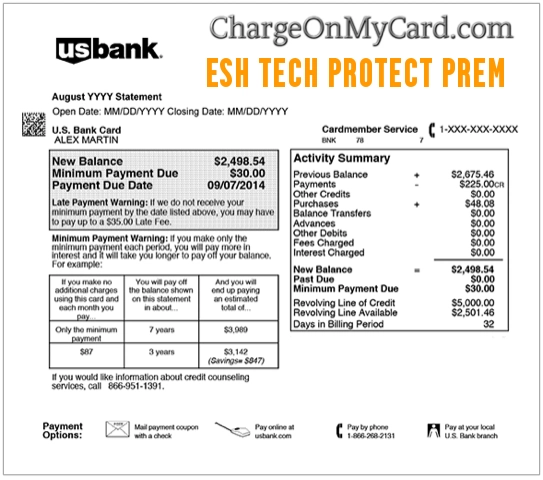
What Is the ESH TECH PROTECT PREM Charge?
ESH TECH PROTECT PREM is most likely a device protection, phone insurance, warranty, or repair/replacement plan billing descriptor. The charge may be connected to a protection plan purchased when buying a phone, tablet, wireless device, or connected device through a retailer, wireless store, carrier, or partner program.
The ESH wording may be a legacy or shortened billing clue connected to eSecuritel-style device protection. Brightstar Device Protection and eSecuritel have been associated with device protection programs, and Brightstar has since been presented under the Likewize name in many program materials. Because plans vary by retailer and carrier, check your own statement, contract, receipt, and plan documents before assuming the exact provider.
Common ESH Tech Protect and Device Protection Statement Variations
The exact wording can vary by bank, card issuer, wireless retailer, carrier, protection plan, payment network, or statement format. Reported and searched variations include:
- ESH TECH PROTECT PREM
- ESH Tech Protect Prem
- ESH Tech
- eSecuritel
- Brightstar Device Protection
- Brightstar device protection charge
- Brightstar device protection phone number
- Likewize Device Protection
- Device Protection 855-562-1955
- Device Protection 855 562 1955
- Device Protection 855-562
- Device Protection 855-562-1955 BC
- 855-562-1955
- 844-400-0452
- 2244400000
- Brightstar Boost Mobile
- Boost Mobile device protection
Why ESH Tech Protect Prem May Be Charging You
An ESH Tech Protect Prem or Device Protection charge may appear for several possible reasons:
- A phone or device protection plan monthly premium
- A mobile phone insurance or warranty plan purchased through a retailer or carrier
- A Brightstar, eSecuritel, or Likewize-administered protection plan
- A replacement-device deductible or processing fee
- A repair claim or service request fee
- A plan purchased at the same time as a phone, tablet, or connected device
- A protection plan attached to a family member’s device
- A plan renewed automatically each month
- A payment connected to a replacement card after your card number changed
- A charge made by a spouse, family member, employee, or authorized card user
- An unauthorized charge if no one recognizes the plan or device
How to Identify an ESH Tech Protect Prem Charge
Before disputing the transaction, try to match the charge to a real device protection plan, phone purchase, repair, or claim:
- Check recent device purchases: Review receipts from wireless stores, retailers, carrier stores, phone upgrades, and device trade-ins.
- Search your email: Look for “ESH Tech,” “Tech Protect,” “Device Protection,” “Brightstar,” “eSecuritel,” “Likewize,” “claim,” “replacement,” “repair,” “deductible,” and the exact charge amount.
- Review wireless accounts: Check carrier, retailer, and device-protection account settings for add-ons, insurance, warranties, or protection plans.
- Compare the amount: Match the charge to a monthly premium, deductible, claim fee, repair fee, or replacement-device fee.
- Check all devices on the account: A family member’s phone, tablet, smartwatch, or business device may have protection coverage.
- Check claim history: If a phone was lost, stolen, damaged, or replaced, the charge may be tied to a deductible or replacement processing fee.
- Ask authorized users: A family member, employee, spouse, or account manager may have added coverage.
- Call your card issuer: Ask for the full merchant descriptor, merchant phone number, authorization code, category, and whether the charge is recurring.
Official Brightstar / Likewize Device Protection Information
For questions about an ESH Tech Protect Prem, Brightstar Device Protection, eSecuritel, Likewize, or Device Protection 855-562-1955 charge, use the support channel tied to your specific plan, retailer, carrier, or claim document:
- Likewize Website: Likewize.com
- Likewize / Brightstar Device Protection Address Seen on Partner Program Sites: Likewize Device Protection, LLC, 1900 W Kirkwood Blvd, Suite 1600C, Southlake, TX 76092
- Device Protection Number Searched by Consumers: 1-855-562-1955
- Brightstar / Device Protection Number Searched by Consumers: 1-844-400-0452
- Important: Some retailer-specific plans use different claim or customer-care numbers, so check the program guide, receipt, claim email, or protection-plan website connected to your device.
If your statement shows 855-562-1955, 844-400-0452, Brightstar, eSecuritel, or Likewize, treat it as a billing clue and verify through your plan documents, carrier, retailer, protection-plan portal, and card issuer before sharing personal or payment information.
Brightstar, eSecuritel, and Likewize: Why the Names Differ
Device protection plans may show different names because older plan materials, retailer websites, billing descriptors, and claim portals may use different branding. A plan may have originally been sold under eSecuritel or Brightstar Device Protection, while newer materials may use the Likewize name.
This does not always mean the charge is wrong. It may mean your device protection plan, claim administrator, or billing descriptor uses older branding. Compare the charge with the protection plan you accepted when purchasing or upgrading a device.
Is Device Protection 855-562-1955 a Monthly Charge?
It may be. Many phone and device protection plans bill a monthly premium. Depending on the plan, the charge may continue until you cancel coverage, stop paying, remove the add-on, or close the related account.
If the charge repeats monthly, check whether it is tied to a wireless plan, retailer protection plan, phone upgrade, business device, or replacement device. If you no longer need coverage, ask the plan administrator or retailer how to cancel in writing and save confirmation.
How to Cancel Device Protection or Brightstar Coverage
To cancel future ESH Tech Protect Prem or Device Protection billing, try these steps:
- Find the original phone or device purchase receipt.
- Look for the protection-plan provider, retailer, or carrier listed on the receipt.
- Log in to your wireless, retailer, or protection-plan account.
- Check add-ons, device protection, insurance, warranties, or subscriptions.
- Contact the plan administrator using the phone number or portal shown in your plan documents.
- Ask for cancellation in writing and request the effective cancellation date.
- Save confirmation emails, screenshots, ticket numbers, and agent names.
- Watch the next statement to confirm the charge stops.
Removing a phone from use, upgrading a device, replacing a card, or deleting an app may not automatically cancel a device protection plan. Confirm cancellation directly with the carrier, retailer, or plan administrator.
Refunds, Claims, and Replacement-Device Charges
If the charge relates to a replacement or repair claim, check the deductible, service fee, taxes, shipping, and return requirements. Some plans charge a deductible or processing fee before sending a replacement device.
If you canceled coverage or returned a device but were still charged, gather your cancellation confirmation, return tracking, claim number, protection-plan contract, and receipts. Contact the plan administrator and your card issuer if the charge continues.
If your claim was denied, your replacement never arrived, or you were charged incorrectly, document every support interaction. Keep emails, screenshots, claim forms, replacement-device tracking, and billing records.
When to Treat ESH Tech Protect Prem as Possible Fraud
Treat the charge as suspicious if:
- You never bought a device protection plan
- No authorized user recognizes the device, account, plan, claim, or retailer
- The charge does not match any phone, tablet, smartwatch, or connected device on your account
- The charge repeats after you canceled coverage
- The charge appears after your card was lost, stolen, or used online without permission
- You receive a suspicious phone call, email, or text asking you to verify device-protection billing
- Someone asks for your full card number, bank login, password, PIN, gift card number, IMEI plus payment details, or one-time security code
Use your bank’s official app, the number on the back of your card, your carrier’s official website, or your retailer’s official support path. Do not rely on sponsored ads, random phone numbers, or links in suspicious messages.
What to Ask Your Bank or Card Issuer
If the charge remains unclear, ask your bank or card issuer:
- What is the full merchant descriptor?
- Is the charge recurring?
- Is there a merchant phone number or website?
- What merchant category code was used?
- Was the transaction online, card-present, keyed, recurring, or tokenized?
- Can the issuer identify the retailer or carrier behind the charge?
- Can future charges from this merchant be blocked?
- Should this be handled as a billing dispute or fraud claim?
Related Consumer Resources
If you are researching an ESH Tech Protect Prem charge, phone insurance plan, device protection issue, replacement claim, refund problem, or possible unauthorized transaction, these general consumer resources may help. These links are not official Brightstar, eSecuritel, or Likewize support channels unless clearly labeled as official resources above.
- CustomerServiceNumbers.com customer service lookup
- ThinkItsAScam.com scam and fraud warning guides
- CorporateOfficeHeadquarters.com corporate office and complaint resources
- ZeroStars.org consumer reviews and complaints
Related Device, Tech, Subscription, and Online Billing Guides
These related ChargeOnMyCard.com guides may also help if you are reviewing tech support, phone, app, subscription, warranty, or unfamiliar online billing descriptors:
- Verizon VZWRLSSIVR charge
- Google YouTube g.co/payhelp charge
- Google SVCSAPP charge
- Prime Video 888-802-3080 charge
- Digital River charge
- Paddle.net charge
- FSPRG.COM charge and FastSpring billing
Frequently Asked Questions About ESH Tech Protect Prem Charges
What is ESH TECH PROTECT PREM on my bank statement?
ESH TECH PROTECT PREM is most likely a phone or device protection billing descriptor. It may be connected to a Brightstar, eSecuritel, or Likewize-administered device protection plan, depending on where the device or coverage was purchased.
What is Device Protection 855-562-1955?
Device Protection 855-562-1955 is a billing clue often searched in connection with Brightstar-style mobile protection plans. Check your phone insurance plan, wireless account, retailer receipt, and protection-plan documents to verify the exact source.
What is Brightstar Device Protection?
Brightstar Device Protection has been associated with phone and device protection programs, including plans for loss, theft, accidental damage, malfunction, repair, and replacement. Many Brightstar-branded plans now reference Likewize.
What is eSecuritel?
eSecuritel is a legacy name associated with device protection programs that later appeared under Brightstar Device Protection branding. Some older billing descriptors or documents may still point to eSecuritel-style wording.
Why am I being charged monthly for device protection?
You may have enrolled in a monthly phone or device protection plan when buying or upgrading a device. The plan may continue until canceled, even if you no longer use the device.
How do I cancel ESH Tech Protect Prem?
Find the retailer, carrier, or plan administrator tied to your device protection plan. Contact them using the official plan phone number or portal, request cancellation in writing, and save the confirmation.
Is 844-400-0452 connected to Brightstar?
844-400-0452 is commonly searched with Brightstar and device protection billing questions. Use it only as a statement or search clue unless your own plan documents, retailer, carrier, or card issuer confirm it is the correct support number for your plan.
Should I dispute an ESH Tech Protect Prem charge?
If you cannot match the charge to a device protection plan, phone purchase, repair claim, deductible, wireless account, retailer account, or authorized card user, contact your card issuer. Ask for full merchant details and follow your bank’s dispute or fraud process if the charge appears unauthorized.
Why Trust ChargeOnMyCard.com?
ChargeOnMyCard.com helps consumers identify unfamiliar credit card, debit card, digital wallet, and bank statement charges. Our guides are based on available company information, official resources when available, payment clues, statement descriptors, and reports from cardholders. We focus on helping readers determine whether a charge may be legitimate, recurring, mistaken, or potentially unauthorized.
Share Your Experience
Did an ESH TECH PROTECT PREM, Device Protection 855-562-1955, Brightstar Device Protection, eSecuritel, Likewize, 844-400-0452, or similar charge appear on your statement? Share the exact wording, amount, date, card type, phone number, retailer, carrier, and whether it matched a device protection plan, claim, repair, replacement, or monthly premium. Do not post your full card number, device IMEI, account password, address, phone number, email address, PIN, one-time code, or claim documents with private details.
Page Update Note
This ESH Tech Protect Prem charge guide was reviewed and updated on July 7, 2026 with clearer Brightstar, eSecuritel, and Likewize device-protection guidance, statement variations, phone-number clues, cancellation steps, fraud warnings, related resources, and dispute guidance.
ChargeOnMyCard.com Disclaimer
ChargeOnMyCard.com is not affiliated with Brightstar Device Protection, eSecuritel, Likewize, any wireless carrier, any retailer, any bank, any card issuer, or any payment processor. This page is for consumer information, reviews, and complaint discussion only. Always contact the plan administrator, wireless carrier, retailer, your bank, or your card issuer directly for official help with billing, claims, refunds, cancellations, disputes, and fraud claims.