
If you found an FSPRG.COM charge on your credit card, debit card, PayPal account, or bank statement, it is usually connected to a software purchase, digital product, app, subscription, video game, online service, or automatic renewal processed by FastSpring.
FastSpring is a merchant-of-record and authorized reseller used by many software and digital-product companies. That means your statement may show FSPRG.COM, FSPRG.COM877-327-8914, FSPRGCOM, or a similar descriptor instead of the name of the app, program, game, or online service you remember buying.
If you do not recognize the charge, use FastSpring’s buyer support tools to identify the seller, search your email for receipts, review recent software trials, and contact your card issuer if the transaction remains unauthorized.
Consumer Reports and Experiences
Consumers commonly report seeing FSPRG.COM after buying software, subscribing to an online tool, purchasing a game, starting a free trial, downloading a digital product, or renewing a subscription from a company that uses FastSpring for billing.
The charge can be confusing because the statement may show only FSPRG, FSPRG.COM CA, FSPRG.COM877-327-8914, or FastSpring rather than the seller name. Some cardholders later identify the purchase by finding a FastSpring receipt in their email or by using FastSpring’s “Question a Charge” support path.
Other consumers report that the charge was tied to an annual software renewal, a forgotten subscription, a game or in-app purchase, a PDF or file-conversion tool, a cybersecurity product, a productivity app, or a purchase made by another authorized card user.
Have you seen this charge? Share the amount, full descriptor, product name if known, whether it was a one-time purchase or subscription, and how you resolved it in the comments below. Do not post your full card number, email address, license key, order number, password, or other private information.
What Is the FSPRG.COM Charge?
FSPRG.COM is a shortened billing descriptor for FastSpring, a company that processes and resells software, digital products, subscriptions, apps, games, and online services for many sellers.
The charge may involve:
- Software purchases
- Software license renewals
- Digital downloads
- Video games or in-game content
- AI tools or web apps
- PDF, file-conversion, or document tools
- Security, cleanup, VPN, or antivirus software
- Photo, video, or design software
- Online courses or digital training products
- Monthly or annual subscription renewals
- A free trial that converted to a paid plan
- A purchase made through PayPal, a card, or another digital payment method
FastSpring may be the billing company, while the actual product is provided by another software or digital-service company.
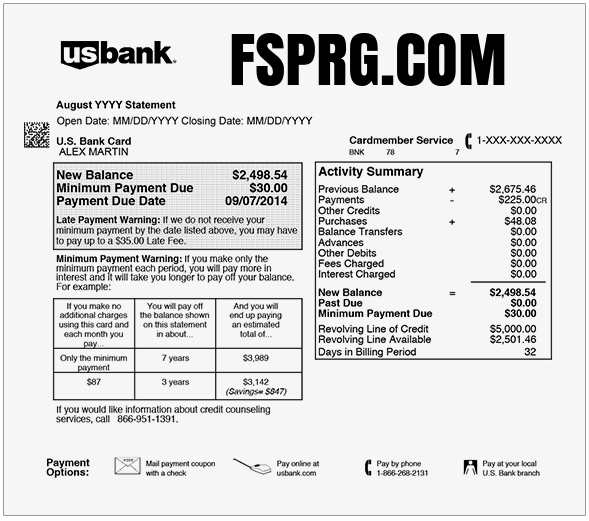
Common FSPRG and FastSpring Statement Variations
The same FastSpring-related transaction may appear in several ways depending on your bank, card issuer, payment method, seller, or country:
- FSPRG.COM
- FSPRG
- FSPRG.COM CA
- FSPRGCOM
- FSPRG.COM CHARGE
- FSPRG.COM877-327-8914
- FSPRGCOM877-327-8914
- 8773278914
- 877-327-8914
- FS* followed by a product name
- FSPRG* followed by a product name
- FASTSPRING.COM
- FASTSPRING
- PP*FASTSPRING
- PP FSPRG
- FSPRG.NL
- FSPRG.NL AMSTERDAM
- FSPRG SOFTWARE 8773278914
- FastSpring BV
If your statement shows a product or seller name after FS* or FSPRG*, that second part may be the most important clue.
What Does FSPRG Mean?
FSPRG is a shortened version of FastSpring.
FastSpring appears on statements because it acts as the payment or merchant-of-record company for many software and digital-product sellers. In plain language, you may have purchased from one website, but FastSpring handled the checkout, tax, payment processing, receipt, refund, or subscription billing.
Another Merchant of Record that may appear instead of the software vendor is PayPro Global software and subscription billing. PayPro Global processes purchases and recurring payments for many software, SaaS, video-game, and digital-product sellers.
This is similar to seeing a payment processor or marketplace name on your statement instead of the small software company that sold the product.
Why Is FSPRG.COM Charging My Card?
You Purchased Software or a Digital Product
The most common explanation is that you bought software, an app, a license, a downloadable file, a digital tool, or an online product from a company that uses FastSpring for checkout.
Examples may include:
- Desktop software
- Mac or Windows utilities
- Productivity tools
- Design or editing software
- Online business tools
- Digital templates
- Game content
- Education or training products
A Subscription Renewed
Many FastSpring-billed products are subscriptions. They may renew monthly, annually, or on another schedule until canceled.
An annual renewal can be especially difficult to recognize because it may post a year after the original purchase.
A Free Trial Converted to a Paid Plan
Some software and digital services offer a free trial, low-cost trial, or introductory plan. If the trial is not canceled before the renewal date, the payment method may be charged.
This often surprises consumers when:
- The trial was started days or weeks earlier
- The product name is not obvious on the statement
- The renewal amount is higher than the trial price
- The receipt went to an older or rarely used email account
- The user uninstalled the app but did not cancel the subscription
A PayPal or Digital Wallet Payment Was Used
Some FastSpring purchases may be paid through PayPal or another digital wallet. In that case, the statement or PayPal activity may show PP*FASTSPRING, FSPRG, or another FastSpring variation.
Another Authorized User Made the Purchase
A spouse, child, employee, freelancer, business partner, or another authorized cardholder may have purchased a software product or subscription using the card.
Ask specifically about software, apps, games, file tools, security programs, AI services, and digital subscriptions.
A Business or Work Subscription Used the Card
FastSpring is often used by software companies, so business cards may show FastSpring charges for:
- Developer tools
- Marketing software
- Design software
- AI tools
- Cybersecurity products
- Data, analytics, or reporting tools
- Team productivity apps
- Annual license renewals
How to Identify an FSPRG.COM Charge
1. Use FastSpring Buyer Support
FastSpring provides buyer support for unrecognized charges, refunds, subscription cancellations, missing receipts, and product-related purchase questions.
- FastSpring Buyer Support: FastSpring Consumer Support
- Question a Charge: Question an FSPRG or FastSpring Charge
- FastSpring Contact Page: Contact FastSpring
FastSpring may ask for details such as:
- The transaction date
- The charge amount
- The email address used for the purchase
- The last four digits of the card
- The full statement descriptor
- The product name if shown
- A screenshot of the charge with private details hidden
Do not send your full card number, card security code, bank password, email password, or software-account password.
2. Search Your Email
Search every email account you use for:
- FastSpring
- FSPRG
- FSPRG.COM
- Receipt from FastSpring
- Your FastSpring order
- Subscription renewal
- License key
- Download instructions
- Invoice
- Software order
- Trial subscription
- The exact amount charged
Check spam, promotions, archived folders, and old email accounts. Some users find that the receipt was sent to an address they no longer check often.
3. Look for a Product Name After FS or FSPRG
If your descriptor includes a product name after FS* or FSPRG*, search that product name.
For example:
- FS*PRODUCTNAME may point to the software seller.
- FSPRG*APPNAME may point to an app or web service.
- PP*FASTSPRING may show in PayPal activity for a FastSpring purchase.
The seller name may not be identical to the consumer-facing website, so also check receipts, app names, and product emails.
4. Review Recent Downloads and Trials
Think about products you recently installed, downloaded, tested, or subscribed to.
Common categories include:
- AI tools
- PDF editors
- File converters
- Video or photo editors
- Antivirus and cleanup utilities
- VPN or privacy software
- Password or productivity tools
- Games and downloadable content
- Online courses
- Small-business software
5. Check PayPal and Digital Wallet Activity
If the card was linked to PayPal, Apple Pay, Google Pay, or another wallet, review those accounts for a matching FastSpring transaction.
6. Ask Other Authorized Users
Ask anyone with access to the card whether they purchased software, started a subscription, downloaded a game, or used the card for a work tool.
What If the Statement Shows 8773278914?
Some FSPRG-related statement descriptions include 8773278914 or 877-327-8914.
When that number appears together with FSPRG, FSPRG.COM, or FastSpring, it may be part of the FastSpring billing descriptor shown by your bank or card issuer.
However, do not rely only on a phone number in a statement descriptor. Use FastSpring’s official website and buyer support page to identify the transaction.
Is FSPRG.COM a Scam?
FastSpring is a legitimate payment and merchant-of-record company. The presence of FSPRG.COM on a statement does not automatically mean the charge is fraudulent.
However, a legitimate billing platform can still appear for:
- A forgotten subscription
- A free trial that converted to a paid plan
- A product you no longer use
- A purchase made by another authorized user
- A software seller you do not recognize
- A misleading or unclear trial offer
- An unauthorized card transaction
The important question is not only whether FastSpring is real. The important question is which seller, product, subscription, or account caused the charge.
How to Cancel a FastSpring Subscription
If the FSPRG.COM charge is for a subscription, start with FastSpring Buyer Support or the subscription-management link in your FastSpring receipt.
- Find the FastSpring receipt or renewal email.
- Open the subscription-management or cancellation link.
- Review the product and renewal date.
- Cancel automatic renewal if you no longer want the service.
- Save the cancellation confirmation.
- Check whether you have more than one active subscription.
Deleting an app, uninstalling software, or closing an account on the seller’s website may not always cancel billing. Use the official cancellation route in the FastSpring receipt, the seller account, or FastSpring Buyer Support.
How to Request a Refund From FastSpring
If you believe the charge was a mistake, duplicate, unauthorized renewal, or product you could not use, start with FastSpring Buyer Support.
- Open FastSpring Buyer Support.
- Select the refund or charge-related option.
- Provide the transaction date and amount.
- Provide the email address that may have been used.
- Provide the last four digits of the card if requested.
- Explain whether the issue is a duplicate, canceled subscription, product problem, or unauthorized transaction.
- Save all case numbers and email replies.
Refund eligibility may depend on the seller, product type, subscription terms, timing, whether the product was delivered, and applicable consumer laws.
What If FastSpring Says to Contact the Seller?
FastSpring can often help identify the charge, receipt, subscription, and seller. Product-support questions may still need to be handled by the software company that provided the product.
Use this general rule:
- Billing, receipt, refund, subscription, and charge lookup: Start with FastSpring.
- Login, product access, license keys, downloads, and technical support: Contact the software seller.
- Unauthorized card use or fraud: Contact your card issuer immediately.
FastSpring Contact Information
- Buyer support: FastSpring Consumer Support
- Question a charge: Question an FSPRG Charge
- Contact page: FastSpring Contact Page
- Website: FastSpring.com
- Santa Barbara office: Bright Market, LLC dba FastSpring, 801 Garden St. #201, Santa Barbara, CA 93101
FastSpring’s current public support flow is centered around its buyer support and support-case system. If you see an old or third-party phone number online, verify it through FastSpring’s official website before calling.
Is the FSPRG.COM Charge Fraudulent?
Usually not when it matches a software purchase, subscription, digital product, game, or renewal that you or another authorized user approved.
The charge should be investigated as potentially unauthorized if:
- You have never purchased software through FastSpring
- No authorized card user recognizes the product
- FastSpring cannot identify a matching purchase
- The charge does not match any receipt or email
- The seller name is unfamiliar
- You were charged after canceling
- Multiple recurring charges appear unexpectedly
- Your card was lost, stolen, or recently compromised
- Your bank says the transaction was processed without your authorization
What to Do If You Did Not Authorize the Charge
- Use FastSpring Buyer Support to try to identify the product or seller.
- Search all email accounts for FastSpring receipts and renewal notices.
- Check PayPal, Apple Pay, Google Pay, and other wallet activity.
- Ask authorized card users whether they purchased software or a digital product.
- Cancel any unwanted subscription you identify.
- Request a refund through FastSpring when appropriate.
- Contact the software seller if the product name is visible.
- Lock or freeze the card if the charge remains unexplained.
- Call your bank or card issuer using the number on the back of the card.
- Dispute the transaction if neither FastSpring nor the seller can identify a legitimate authorization.
- Ask whether the card should be replaced.
Software Subscription and Fake Trial Warning
Many FSPRG.COM charges are legitimate, but consumers should be cautious with software trials, AI tools, cleanup utilities, driver updaters, file converters, and low-cost digital offers.
Warning signs include:
- A “free” trial that requires a card and renews quickly
- A very low introductory price followed by a larger renewal
- No clear cancellation instructions before checkout
- Fake virus or device-warning pop-ups
- A website pretending to be a well-known software brand
- Unclear seller name before payment
- Repeated charges after cancellation
- Unexpected emails or calls offering fake tech support
Read renewal terms before entering a payment method, save all receipts, and cancel through the official support or customer portal rather than simply deleting the app.
How Consumers Resolved the Charge
Consumers commonly resolve FSPRG.COM charges by:
- Finding a matching FastSpring receipt
- Identifying the software seller through FastSpring Buyer Support
- Recognizing a forgotten annual subscription renewal
- Finding a game, app, or digital-product purchase
- Canceling a subscription through FastSpring or the seller
- Requesting a refund through FastSpring
- Confirming that another authorized user made the purchase
- Checking PayPal or digital wallet activity
- Disputing the charge when no authorization can be found
- Replacing the card after confirmed unauthorized use
Frequently Asked Questions
What is FSPRG.COM?
FSPRG.COM is a FastSpring billing descriptor. It usually means a software, app, digital product, game, or online service was purchased from a company that uses FastSpring for billing.
What does FSPRG mean on a credit card?
FSPRG is short for FastSpring. It appears when FastSpring processes or resells a product for a software or digital-service company.
What is FSPRG.COM877-327-8914?
FSPRG.COM877-327-8914 is a statement variation that combines the FastSpring descriptor with a phone-style number. Use FastSpring’s official Buyer Support page to identify the exact purchase.
Is FSPRG.COM the same as FastSpring?
Yes. FSPRG.COM is commonly used as a shortened billing descriptor for FastSpring.
Why is FastSpring charging me?
You likely bought software, subscribed to a digital service, started a trial that renewed, purchased a game, or used a website that relies on FastSpring for payment processing.
Is FSPRG.COM CA a California charge?
The CA may reflect FastSpring’s California office or merchant information. It does not necessarily mean the product seller is located in California.
Can FastSpring charges appear through PayPal?
Yes. Some users may see PP*FASTSPRING, PayPal FastSpring, or another PayPal-related version when the purchase was paid through PayPal.
How do I cancel an FSPRG subscription?
Find the FastSpring receipt or use FastSpring Buyer Support to locate the subscription and cancel automatic renewal. Also check the software seller’s account portal.
Can I get a refund?
Possibly. Refund eligibility depends on the seller, product, subscription terms, timing, and applicable law. Start with FastSpring Buyer Support.
Should I dispute the FSPRG.COM charge?
First try to identify the charge through FastSpring, email receipts, PayPal, and authorized users. If the charge remains unauthorized, contact your card issuer promptly.
Related Credit Card and Bank Charges
- Paddle.net Charge on Credit Card
- Anthropic PBC charge on credit card
- Stripe.com Charge on Credit Card
- BlueSnap Charge on Credit Card
- PayPal Charge on Credit Card
- McAfee 866-622-3911 Charge
- PrimeDefender.com Digital Security Subscription Charge
- Relax Mantra Charge On Credit Card
- Gofantix Charge On Credit Card
- Daisy Days Charge On Credit Card
Related Consumer Resources
- Need customer-service contact information for software companies, digital subscriptions, or payment processors? Search CustomerServiceNumbers.com.
- Looking for a company headquarters address, corporate office, or mailing information? Visit CorporateOfficeHeadquarters.com.
- Want to share a company review, billing complaint, or customer experience? Visit ZeroStars.org.
- Concerned about a fake software trial, tech-support pop-up, or suspicious digital subscription? Visit ThinkItsAScam.com for scam alerts and consumer warnings.
Why Trust ChargeOnMyCard.com?
ChargeOnMyCard.com helps consumers identify confusing credit card, debit card, PayPal, and bank-statement descriptors using official company resources, payment information, and reports from cardholders.
Reader comments are especially helpful for FSPRG.COM because FastSpring processes payments for many different software and digital-product companies. Your report can help others identify the seller, product name, renewal pattern, refund path, and cancellation steps.
Share Your FSPRG.COM Experience
Did your charge match FSPRG.COM, FSPRG.COM877-327-8914, FSPRG.COM CA, FSPRG.NL, PP*FASTSPRING, a software renewal, a game, a free trial, or an unauthorized transaction? Share the amount, full descriptor, product name if known, and how you resolved it below. Please exclude private account and payment information.
Disclaimer
ChargeOnMyCard.com is an independent consumer-information website and is not affiliated with FastSpring, Bright Market LLC, FSPRG.COM, any software seller, payment processor, card network, bank, or financial institution. FastSpring may process payments for many third-party software and digital-product companies. Verify individual transactions through FastSpring Buyer Support, the software seller, and your card issuer.